

For data center operators, engineers, and IT leaders, liquid cooling for data centers is no longer a niche upgrade—it’s a necessity to unlock scalability, cut energy use, and future-proof infrastructure against the ever-growing heat of high-density computing.
Why Air Cooling Fails for Modern Data Centers
For low-power density deployments (≤12kW per rack), forced air cooling remains a viable option—but its limitations become crippling as computing demands rise. Air cooling relies on large heatsinks and high-velocity fans to move hot air away from components, creating three critical pain points:
- Hotspot formation: Exhaust air from one component raises temperatures for nearby hardware, leading to thermal throttling and reduced performance.
- Design inflexibility: Processors and heatsinks must be placed near air exits, limiting board layout and hardware customization.
- Energy waste: Fans and CRAC units work overtime to maintain the 21–24°C optimal operating range, driving up energy costs and PUE scores .
Even incremental upgrades to air cooling fail to address the fundamental issue: air has a low heat transfer coefficient and low specific heat capacity, making it a poor medium for dissipating the intense heat of modern GPUs and AI chips . Liquid cooling solves these flaws by replacing air with high-performance coolants that transfer heat 50–100x more efficiently—redefining what’s possible for data center density and efficiency.
Unmatched Benefits of Liquid Cooling for Data Centers
The shift to liquid cooling is driven by its transformative benefits for performance, cost, and sustainability—benefits that directly address the biggest pain points of modern data center operation:
1. Exponential Density & Scalability
Liquid cooling unlocks server densities that air cooling cannot touch: D2C systems support 20–85kW per rack, while immersion cooling pushes this to 210kW+ per rack . This means data centers can pack more compute power into the same physical space—reducing real estate costs and enabling hyperscale AI clusters (10,000+ GPUs) without massive facility expansions.
2. Dramatic Energy Savings & Lower PUE
Liquid cooling cuts cooling energy use by 40–90% compared to air cooling, slashing PUE scores from 1.5–1.8 (air-cooled) to 1.05–1.2 (liquid-cooled) . For a 10MW data center, this translates to **$1.2M+ in annual electricity savings**—with even bigger gains for AI data centers with high cooling loads. The U.S. Department of Energy has recognized this potential, allocating $40M to fund innovative liquid cooling research and deployment.
3. Extended Hardware Lifespan & Reliability
Air cooling exposes hardware to dust, vibration, and temperature fluctuations—all of which shorten component life. Liquid cooling eliminates fans (a common point of failure) and maintains near-isothermal operating temperatures (±2°C), reducing CPU/GPU wear and tear by up to 50% . Immersion systems also seal hardware from dust and moisture, cutting server failure rates by 90% and minimizing unplanned downtime.
4. Improved Performance & Thermal Throttling Elimination
Modern GPUs (e.g., NVIDIA H100, GB200) throttle performance when temperatures exceed 85°C—an issue air cooling struggles to avoid in high-density deployments. Liquid cooling keeps chips at a stable 40–60°C, enabling 30% higher effective compute performance and consistent overclocking for AI training and HPC workloads . In practice, this means 3 liquid-cooled servers can deliver the same performance as 5 air-cooled servers—maximizing ROI on compute hardware .
5. Sustainability & Net-Zero Alignment
With data centers accounting for ~2% of global electricity use, sustainability is no longer a nice-to-have—it’s a business imperative. Liquid cooling reduces carbon footprints by cutting energy use, and many systems enable waste heat recovery: the warm coolant (40–50°C) can be repurposed to heat office buildings, industrial facilities, or even residential areas—turning data centers from energy consumers into energy contributors . Immersion cooling with silicon-based fluids also offers a circular economy advantage: fluids last 5+ years with minimal replenishment, and are fully recyclable.
Real-World Liquid Cooling Success Stories
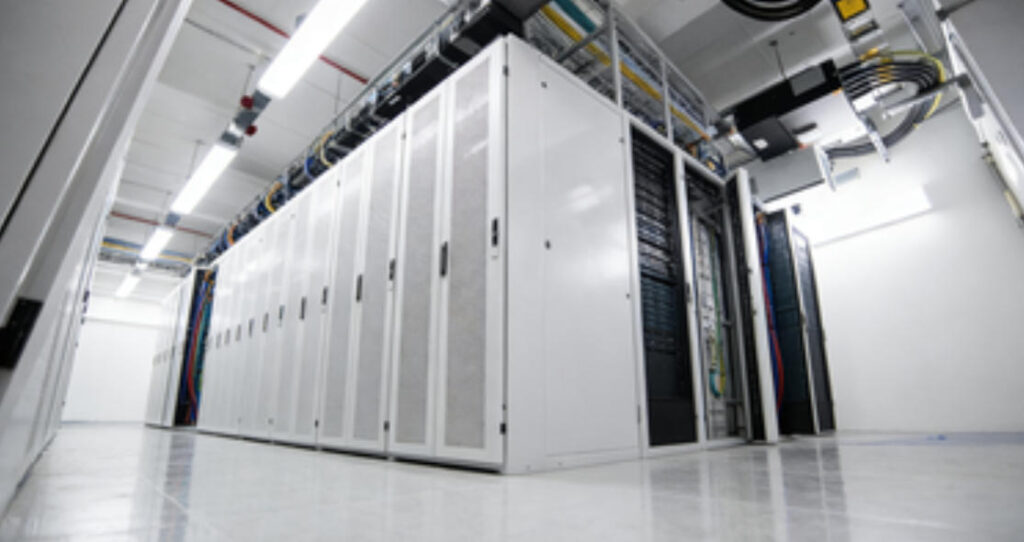
Liquid cooling for data centers is no longer a theoretical technology—it’s deployed globally in hyperscale, AI, and government data centers, with proven results:
- Guizhou National Computing Hub (China): A flagship “East Data West Calculation” project using spray immersion cooling with mineral oil dielectric fluid. The facility achieves a PUE of <1.1, 40% lower energy use than air cooling, and 30% higher effective compute performance—with 216 cabinets supporting 12–24kW per rack and zero unplanned downtime in 2 years.
- NVIDIA GB200 AI Clusters: Hyperscale data centers deploying single-phase direct-to-chip (D2C) liquid cooling for NVIDIA’s 1000W+ GB200 Grace Blackwell Superchips NVIDIA. High-performance cold plates with optimized thermal interface materials target chip hotspots, enabling 8-GPU nodes with no thermal throttling and consistent FP8 compute performance
- U.S. Department of Energy Supercomputers: Federal research labs use two-phase immersion cooling for exascale supercomputers, achieving PUE scores of 1.06 and cutting energy use by 70% compared to air-cooled systems—aligning with the DOE’s net-zero by 2030 goals.
Critical Components of a Liquid Cooling System
Liquid cooling for data centers relies on a set of engineered components that work in tandem to deliver efficient, reliable heat transfer. Every part is optimized for minimal energy use and maximum thermal performance—here are the core components and their roles:
- Cold Plates: The heart of D2C systems, these copper/aluminum plates feature microchannels or microjets for coolant flow, mounted directly to chips with TIM (thermal resistance <0.1℃·cm²/W) .
- Dielectric Fluid: Non-conductive coolant for immersion systems—silicon-based, mineral oil, or fluorocarbon fluids that prevent electrical shorts and corrosion while offering high heat capacity .
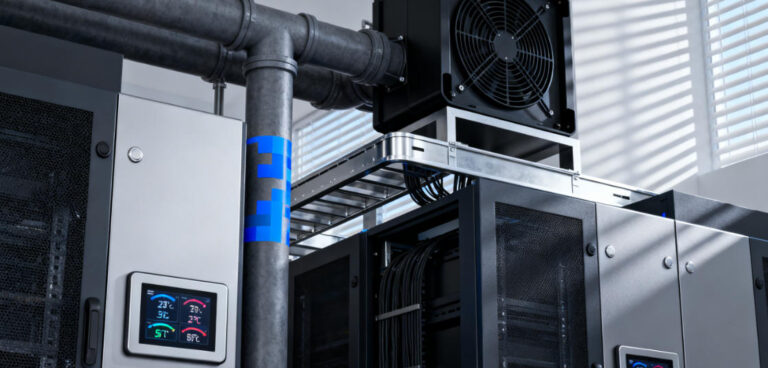
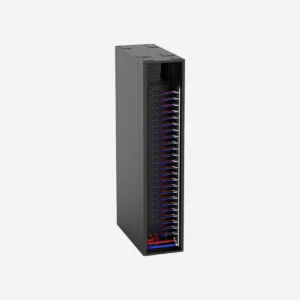
- CDU (Coolant Distribution Unit): Central hub for single-phase systems that regulates coolant temperature, flow rate, and pressure, and transfers heat to a secondary cooling loop (e.g., dry cooler, cooling tower) .
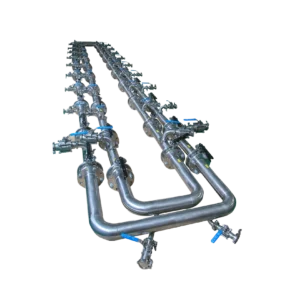
- Manifolds & Quick Disconnects: Distribution hubs that ensure even coolant flow to cold plates, with quick-disconnect fittings for easy hardware maintenance and replacement.
- Condenser/Heat Exchanger: Converts vapor back to liquid in two-phase systems (condenser) or transfers heat from coolant to ambient air/water (heat exchanger)—eliminating the need for energy-intensive chillers.
- Pumps: For single-phase D2C and immersion systems, low-power pumps circulate coolant—with modern designs using just a fraction of the energy of air cooling fans.
How to Adopt Liquid Cooling for Data Centers
Adopting liquid cooling for data centers is not a one-step process—it requires careful planning based on your power density, budget, and infrastructure. Follow these key steps to ensure a successful deployment:
- Assess Your Cooling Needs: Calculate your current and future power density (kW per rack) and identify hotspots—this will determine whether D2C, immersion, or hybrid cooling is the best fit.
- Evaluate Infrastructure Compatibility: For retrofits, check if your existing racks/cabinetry can support cold plates or immersion tanks (modular kits are available for most standard racks). For new builds, design infrastructure around liquid cooling from the start to maximize efficiency.
- Select the Right Coolant: Choose a coolant based on your technology (water/glycol for D2C, silicon/fluorocarbon for immersion) and sustainability goals—prioritize non-toxic, recyclable options with long lifespans.
- Partner with a Specialized Vendor: Liquid cooling requires engineering expertise—work with vendors that offer end-to-end solutions (design, deployment, maintenance) and have a track record of successful data center deployments.
- Pilot First: Deploy a small liquid cooling cluster (1–10 racks) to test performance, efficiency, and maintenance before full-scale rollout—this will identify and resolve issues early.
- Optimize for PUE & Waste Heat: Design your system to minimize energy use (e.g., use dry coolers instead of chillers) and integrate waste heat recovery if possible—maximizing both cost and sustainability benefits.

Liquid cooling for data centers is the cornerstone of the next generation of high-performance, sustainable computing. It solves the fundamental heat crisis of AI and high-density computing, unlocking scalability, cutting energy costs, and extending hardware lifespan—all while aligning data centers with global net-zero goals. Air cooling will never disappear entirely, but for any data center looking to support AI, HPC, or future-proof its infrastructure, liquid cooling is the only choice that delivers on performance, cost, and sustainability.