

This comprehensive guide dives deep into the thermal challenges unique to prefabricated container data center, field-proven solutions to overcome them, and actionable steps to tune your Prefabricated Container Data Center for optimal efficiency—all backed by industry standards, real data, and engineering best practices.
What Is a Prefabricated Container Data Center?
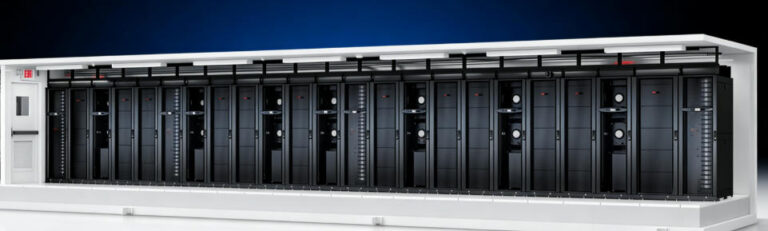
A prefabricated container data center is a fully integrated, self-contained data center module built within an ISO-standard shipping container (typically 20ft or 40ft in length) that houses all critical IT and infrastructure components. Unlike modular data centers, which may be assembled on-site from separate modules, Container Data Centers are fully designed, integrated, and tested in a controlled factory environment before being shipped to the deployment site.
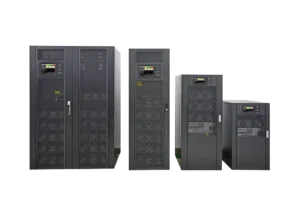
Key components include high-density IT racks, UPS systems, backup generators, precision cooling units, fire suppression systems, environmental monitoring tools, and cable management solutions—all pre-certified to meet industry standards such as TIA-942 and Uptime Institute Tier II/III requirements.
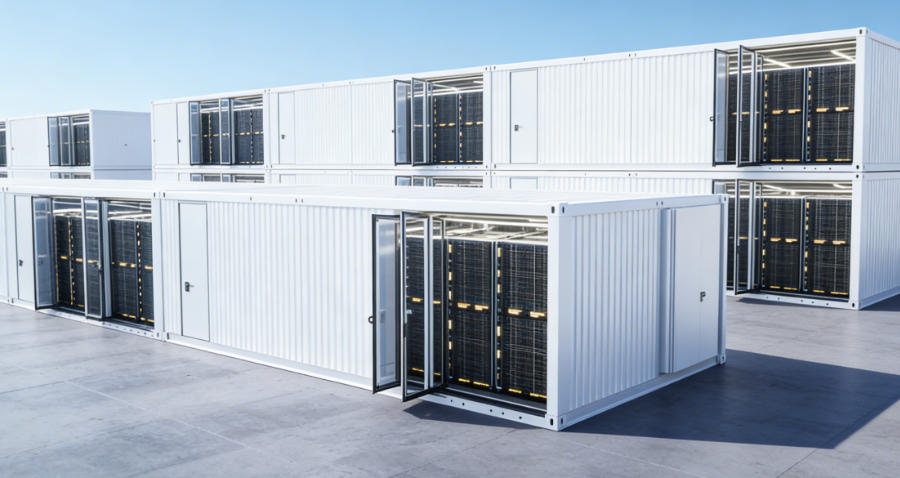
This factory-integration ensures consistency, reduces on-site installation time to as little as 7–14 days, and makes Container Data Centers ideal for space-constrained urban areas, remote industrial sites, edge computing locations, and temporary IT projects.
Critical Thermal Challenges of Prefabricated Container Data Centers
The unique design and deployment scenarios of prefabricated container data centers create distinct thermal challenges that are not present in traditional data centers. These challenges directly impact PUE, hardware reliability, and overall operational efficiency, making thermal management the most critical consideration for any one deployment. Below are the three core thermal pain points, supported by industry data and real-world observations:
Limited Internal Airflow and Air Mixing
The compact steel enclosure of a Container Data Center leaves little room for airflow optimization. Without intentional design, cold supply air from cooling units and hot exhaust air from servers mix freely, reducing cooling efficiency by 30% or more. This air mixing forces cooling systems to work harder, driving PUE up to 1.6–1.8 in unoptimized units—far higher than the 1.2–1.3 range of well-designed PCDCs.
Harsh Outdoor Environmental Exposure
Most are deployed outdoors, where they face extreme temperature swings (ranging from -40℃ in cold climates to +55℃ in hot regions), high humidity, dust, and even corrosive elements (in coastal or industrial areas). These conditions strain cooling systems, increase the risk of condensation (which can damage IT hardware), and require robust enclosure design to maintain thermal stability. For example, dust buildup on cooling coils can reduce heat transfer efficiency by 15–20% over time, further raising PUE.
High-Density IT Loads
Modern Container Data Centers are increasingly used to support AI, machine learning, and high-performance computing (HPC) workloads, which require high-density GPU/CPU racks. These racks can draw 20–50kW of power per rack—far beyond the capacity of legacy air-cooling systems. Without specialized thermal solutions, these high loads lead to localized hotspots, server throttling, and unplanned downtime, which can cost organizations thousands of dollars per hour.
Field-Proven Thermal Systems for Prefabricated Container Data Centers
To address the unique thermal challenges of Container Data Centers, industry experts and manufacturers have developed three layered, field-tested thermal systems that deliver consistent, verifiable efficiency gains. These solutions are aligned with ASHRAE 2023 thermal guidelines for data centers and have been validated in commercial deployments across multiple industries, from telecommunications to energy and healthcare.
Closed Aisle Containment + CFD-Optimized Airflow
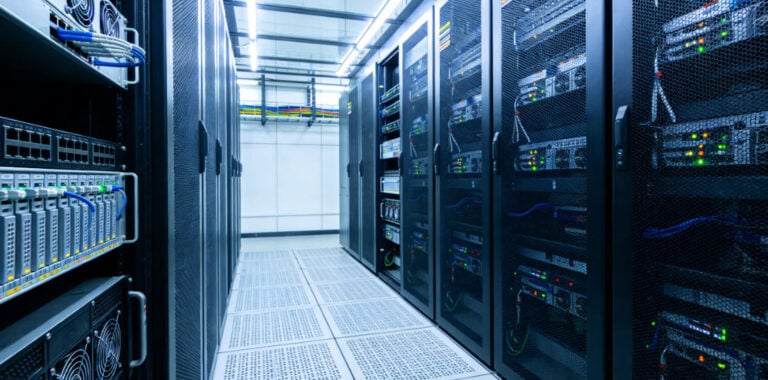
Closed aisle containment is the foundational thermal upgrade for air-cooled prefabricated container data centers, as it eliminates cold-hot air mixing and ensures that 100% of the cooling air reaches server inlets. This design involves sealing the cold aisle with physical partitions, gasketed rack doors, and ceiling panels, creating a dedicated space for cold air distribution. To further optimize airflow, computational fluid dynamics simulations are used during factory design to map airflow patterns, identify potential hotspots, and position cooling units and racks for maximum efficiency.
Key engineering specs include EC variable-speed fans, which adjust their speed in real time based on rack heat loads—reducing energy consumption when cooling demand is low. Additionally, pressure sensors are installed in the containment area to monitor differential pressure, ensuring that the cold aisle remains at a slight positive pressure (typically 5–10 Pa) to prevent hot air from seeping in. The measured improvement of this system is significant: cooling energy use is reduced by 25–35%, and PUE drops from approximately 1.7 to 1.4 with no other modifications. This solution also aligns with ASHRAE’s recommended server inlet temperature range of 18–27℃, which balances cooling efficiency with hardware reliability.
Air-Side Economization + Fluoropump Dual-Cycle Cooling
One of the biggest advantages of prefabricated container data centers is their ability to leverage free cooling from the outdoor environment—a benefit that traditional indoor data centers often cannot fully utilize. Air-side economization, paired with a fluoropump dual-cycle cooling system, maximizes this free cooling potential while maintaining the Container Data Center’s plug-and-play portability (no chilled water plant required).
The system operates on a simple, efficient logic: when the outdoor ambient temperature is below 21℃ , the Container Data Center’s cooling system draws in and filters outdoor air, using it to cool the IT equipment directly. When the ambient temperature rises above 21℃, the fluoropump cooling system activates to provide precision cooling. Fluoropump systems use a non-toxic, efficient refrigerant that transfers heat quickly, eliminating the need for a large chilled water loop. In temperate regions, this dual-cycle approach delivers 3,000–4,500 annual free cooling hours, lowering overall PUE to 1.2–1.25. For organizations deploying Container Data Centers in cooler climates (such as Northern Europe or North America), this system can reduce cooling costs by up to 50% compared to traditional air-cooled units.
Hybrid Liquid Cooling for High-Density AI Workloads
For Container Data Centers supporting high-density AI, GPU, or HPC workloads (25kW/rack or higher), air cooling reaches its practical limit. Hybrid liquid cooling is the only reliable solution to maintain thermal stability and achieve industry-leading PUE in these scenarios. This system combines the best of liquid and air cooling: liquid cooling handles the majority of the heat load (up to 90%), while a backup air cooling system ensures redundancy and protects against liquid system failures.
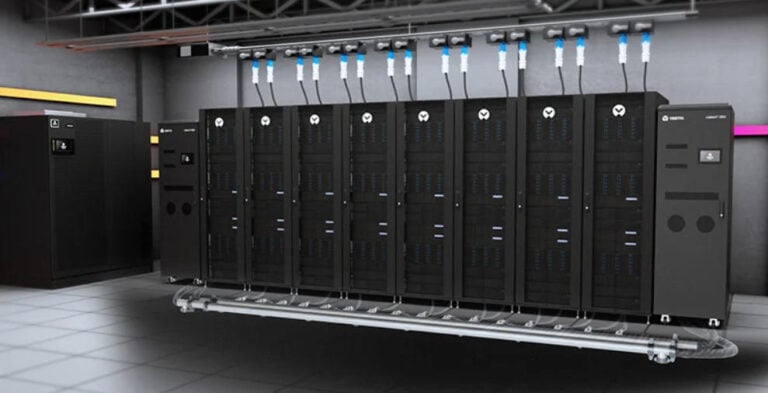
The two most common hybrid liquid cooling architectures for Container Data Centers are rear-door heat exchangers and in-rack Coolant Distribution Units. Rear-door heat exchangers are mounted on the back of IT racks, where they capture hot exhaust air and transfer heat to a liquid coolant loop. In-rack CDUs, on the other hand, are integrated directly into the rack, delivering cooled liquid to server cold plates or immersion cooling systems. Both architectures are factory-installed and tested, ensuring compatibility with the Container Data Center’s overall design. The verified performance of hybrid liquid cooling is impressive: PUE as low as 1.05–1.15, and heat rejection capacity improved by 50% compared to pure air cooling. This solution is ideal for edge AI deployments, 5G core networks, and remote HPC sites where building a custom liquid-cooled facility is impractical or cost-prohibitive.
Actionable Thermal Tuning for Your Prefabricated Container Data Center
Even with the right thermal systems in place, proper tuning is essential to achieve and maintain optimal efficiency for your Container Data Center. Below is a repeatable, actionable 4-step workflow that can be implemented by IT and facility teams, with clear metrics to track progress and ensure success:
Map Heat Loads and Optimize Rack Layout
Start by conducting a comprehensive heat load assessment of all IT equipment in the Container Data Center. Label each rack with its power density (in kW/rack) and position the highest-load racks closest to the cooling unit outlets. This minimizes the distance cold air travels to high-heat equipment, reducing the risk of hotspots. For example, if you have two 40kW GPU racks, place them directly in front of the cooling unit’s supply vents to ensure maximum airflow.
Seal All Air Leaks
Even small air leaks in the Container Data Center’s enclosure or containment system can reduce cooling efficiency by 5–10%. Inspect all cable entries, rack gaps, door gaskets, and ceiling panels for leaks. Use high-quality gaskets, sealant, and cable management sleeves to plug these gaps. Pay special attention to areas where cables enter the container, as these are common leak points. Regular inspections (monthly for outdoor deployments) will help identify and fix new leaks before they impact efficiency.
Set Smart Fan Curves
Avoid using fixed fan speeds for cooling units and server fans—instead, tie fan speed to real-time temperature data. For cooling units, set fan curves based on server inlet temperature (targeting 18–27℃) rather than a fixed RPM. For server fans, use BIOS settings or remote management tools to adjust fan speed based on CPU/GPU temperature. This ensures that fans only use as much energy as needed, reducing overall power consumption and lowering PUE.
Implement 24/7 Monitoring and Maintenance
Deploy a comprehensive environmental monitoring system to track key thermal metrics 24/7, including server inlet/outlet delta-T (temperature difference), containment pressure, cooling unit runtime, and ambient temperature/humidity. Set up alerts for abnormal values (e.g., inlet temperature above 27℃ or containment pressure below 5 Pa) to catch performance drift early. Additionally, schedule regular maintenance: clean cooling coils and air filters every 3–6 months, inspect liquid cooling loops for leaks, and test backup cooling systems monthly to ensure redundancy.
Why Thermal Optimization Defines Prefabricated Container Data Center Value
Thermal management is not a secondary feature of a prefabricated container data center—it is the core differentiator that turns a quick-fix, portable enclosure into a reliable, cost-effective, long-term infrastructure solution. The speed-to-deploy, portability, and scalability of Container Data Centers are only valuable if the unit can maintain low PUE, protect IT hardware, and deliver consistent uptime. By implementing closed aisle containment, air-side economization with fluoropump cooling, and hybrid liquid cooling , combined with the 4-step tuning workflow, organizations can consistently achieve PUE 1.15–1.3 while retaining all the core benefits of Container Data Centers.
For teams prioritizing edge computing, remote infrastructure, AI workloads, or temporary IT capacity, a thermally optimized prefabricated container data center is the most practical and cost-effective solution available today. It delivers the speed and flexibility needed to keep up with digital transformation, while the optimized thermal design ensures long-term reliability and efficiency.