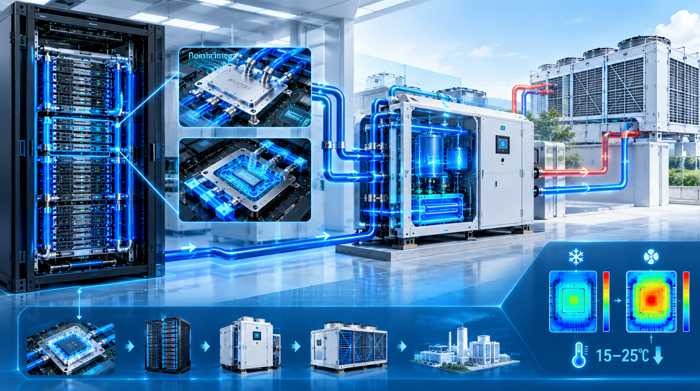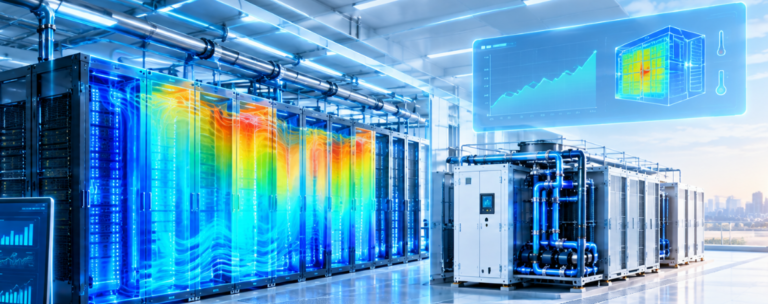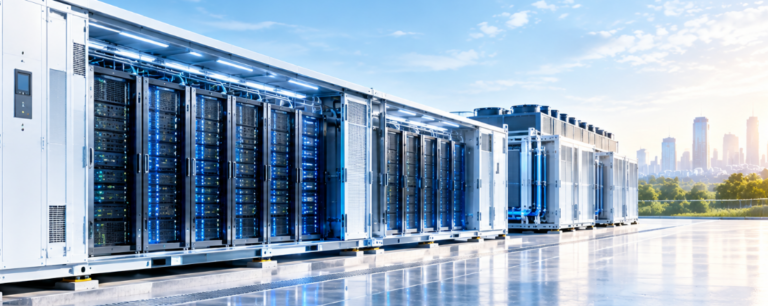


A high-quality Precision AC System is not just a cooling solution—it is a vital component that maintains tight control over temperature, humidity, and airflow, directly safeguarding IT infrastructure from overheating, moisture damage, and operational downtime. Selecting the right Precision AC System requires a strategic approach, focusing on accurate sizing, key performance metrics, essential features, and best practices for implementation and maintenance.
Load Calculation: The Foundation of Proper Sizing
Accurate load calculation is essential to avoid under- or over-sizing your Precision AC System. You must first calculate the IT load by determining the total server power consumption and multiplying it by 3,412 to obtain the required BTU per hour. Next, account for the environmental load, which includes heat from lighting, people, and the building envelope. Finally, plan for future growth by adding 20–30% extra capacity to accommodate anticipated IT expansion, ensuring your Precision AC System can adapt to evolving needs.
Cooling Capacity Metrics to Understand
To evaluate the performance of a Precision AC System, it is crucial to understand key cooling capacity metrics, as they directly impact the system’s ability to meet your facility’s unique requirements. The table below breaks down the most important metrics and their significance:
| Metric | Definition | Importance |
| BTU/hour | British Thermal Units per hour | Primary measure of cooling capacity for a Precision AC System |
| kW Cooling | Kilowatts of heat removal capability | Directly relates to IT load requirements that the Precision AC System must handle |
| SHR | Ratio of sensible heat to total heat removed | Higher SHR (0.9+) is better for data centers, as it aligns with the heat profile the Precision AC System needs to address |
| CFM | Airflow volume | Determines how effectively cooled air from the Precision AC System reaches IT equipment |
| COP | Ratio of cooling output to energy input | Higher COP indicates greater efficiency, reducing operational costs for your Precision AC System |
Key Features to Prioritize
When selecting a precision cooling system, prioritize features that enhance reliability, efficiency, and compatibility with your IT infrastructure:
- Redundancy: N+1 or 2N configurations to prevent single-point failures, ensuring operation even if one component fails.
- Humidity Control: Independent humidification/dehumidification capabilities—a core function of high-performance units.
- Free Cooling: Air-side or water-side economizers for energy savings, reducing long-term operating costs.
- Remote Monitoring: SNMP, BACnet, or API integration for DCIM compatibility, allowing remote management.
- Hot Swap Components: Fans, filters, and other parts replaceable without system shutdown, minimizing downtime.
Best Practices for Implementation & Maintenance
Installation Best Practices
Proper airflow management is critical during installation. Implement hot and cold aisle containment regardless of your cooling architecture, and leave at least 24 to 36 inches of clearance around each CRAC unit to ensure proper airflow. Use blanking panels in empty rack spaces to prevent cold air bypass, so that cooled air actually reaches the IT equipment. For redundancy planning, distribute cooling units across separate power distribution paths, and make sure your backup power systems—UPS and generators—can support the full cooling load during an outage.
Maintenance Schedule: Maximizing Lifespan & Efficiency
Regular maintenance keeps your equipment running at peak performance and avoids costly breakdowns. Replace filters monthly (or at least clean them) and do a full replacement quarterly to prevent airflow restriction and contamination. Inspect and clean coils twice a year to maintain heat transfer efficiency and catch refrigerant leaks early. Humidifiers should be serviced every three months to prevent mineral buildup and ensure accurate humidity control. Once a year, recalibrate the controller to maintain precise temperature and humidity settings. For water-cooled systems, perform leak detection testing twice a year, as this is critical to preventing damage to IT equipment.
Energy-Saving Strategies
Optimizing your cooling infrastructure for energy efficiency reduces operational costs and supports sustainability goals. Raising the temperature setpoint from 22°C to 24°C can cut energy consumption by 10 to 15 percent without harming IT performance. Proper airflow management—good containment and blanking panels—can improve efficiency by 20 to 30 percent. Whenever outdoor conditions allow, typically between 10°C and 16°C, use free cooling with economizers to reduce energy usage. Installing variable speed drives on fans and compressors allows them to adjust to the actual load, saving 30 to 50 percent on energy costs.
Troubleshooting Common Precision Cooling Issues
Even with proper maintenance, problems may occasionally arise.
If you notice temperature fluctuations or inconsistent cooling, the likely causes are clogged air filters, improperly calibrated sensors, refrigerant leaks, or inadequate airflow from poor containment. You can fix these by replacing dirty filters, recalibrating or replacing faulty sensors, having a certified technician check for and repair refrigerant leaks, and improving your airflow management practices.
High energy consumption usually comes from incorrect setpoints, free cooling not activating when conditions permit, unnecessary dehumidification due to a low SHR setting, or poor airflow again. The solutions include optimizing setpoints within ASHRAE-recommended ranges, verifying free cooling activation parameters and sensors, adjusting the SHR to prioritize sensible heat removal, and improving airflow management.
Humidity control problems often trace back to malfunctioning humidifier or dehumidifier components, inadequate airflow preventing proper moisture distribution, or a leaking humidifier. Inspect and clean the components, verify proper airflow rates, and repair or replace any leaking parts.
Finally I would like to say that by evaluating the right architecture and implementing best practices for installation and maintenance, you can create an IT environment that delivers maximum uptime while minimizing operational costs.
Remember, the key to effective data center cooling lies in precision—controlling temperature and humidity within tight tolerances while optimizing energy use across your entire infrastructure. Whether you’re building a new facility or upgrading an existing one, a high-quality Precision AC System provides the foundation for sustainable, high-performance IT operations in today’s digital landscape.