

If you’ve been quoted a precision cooling solution and the spec sheet just says “CRAC unit,” stop there. The architecture of your computer room air conditioning system — whether it cools at the room level, the row level, or the rack level — has a bigger impact on your energy bill and reliability than the brand name or the tonnage. Get it wrong and you’ll spend years chasing hot spots or paying for cooling capacity that never reaches your servers.
This guide gives you a practical, no-fluff framework for making that call — based on your actual rack power density, floor plan constraints, and growth trajectory.
Power density — measured in kW per rack — is the single most important variable in choosing your cooling topology. Everything else follows from it. Calculate yours before reading on: divide your total IT power (kW) by the number of racks in your room.
The Core Question: What Makes Each Type Different?
All three approaches move cold air across hot equipment. The difference is how far the air has to travel, and how precisely it’s targeted.
Room Cooling
Perimeter-based, raised floor- Air travels: 10–20+ metres across the room
- Targeting: The whole room, not specific racks
- Best for: ≤ 5 kW/rack average density
- Key risk: Hot spots in high-density zones
In-Row Cooling
Between rack rows, no raised floor needed- Air travels: 0.5–2 metres, rack to unit
- Targeting: One row of racks per unit
- Best for: 5–20 kW/rack average density
- Key risk: More units to manage and maintain
Rack Cooling
Rear-door or in-rack, ultra-close- Air travels: Centimetres — inside the rack
- Targeting: Single rack, blade-level precision
- Best for: > 15 kW/rack, up to 60 kW/rack
- Key risk: Higher upfront cost per rack
Room Cooling (CRAC/CRAH) — When It’s the Right Call
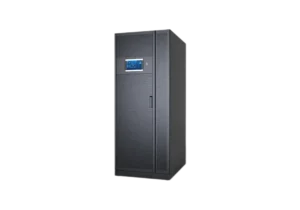
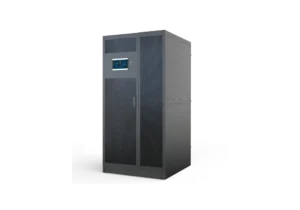
Room-level computer room air conditioning has been the industry default for decades. A floor-standing CRAC unit sits at the room perimeter, pushes cold air through a raised floor plenum, and draws warm return air from above. When your environment matches its design assumptions, it works extremely well and remains the simplest system to operate.
Room Cooling
Room cooling thrives in traditional, low-to-medium density environments where racks average 1–5 kW each — typical of general-purpose servers, storage arrays, and mixed network gear. The raised floor plenum acts as a pressurized cold air supply, and perforated tiles direct airflow into the cold aisle.
Use room cooling when:
- You already have a raised floor (minimum 300 mm plenum height recommended)
- Your average rack density is consistently below 5 kW/rack
- Your floor plan has space for CRAC units at the perimeter (typically 0.5–1.0 m clearance)
- You need a single, centrally managed system with minimal unit count
- Your IT team prefers minimal on-floor cooling infrastructure
✅ Strengths
- Lowest unit count — easier to manage
- Proven, well-understood technology
- Lower capital cost for sparse rooms
- Simple N+1 redundancy design
- Wide availability — 7.5 kW to 300+ kW units
⚠️ Limitations
- Hot spots inevitable above 5 kW/rack
- Requires raised floor (adds cost + complexity)
- Cooling efficiency drops as density rises
- Cold air mixes with hot before reaching servers
- Single point of failure covers whole room
You’re managing a 20-rack server room for a mid-size company. Most racks hold 1U/2U Dell or HP servers averaging 2–3 kW each. Your raised floor is 400 mm deep. Two 30 kW CRAC units in N+1 configuration handle this load comfortably, with room for growth to 25–30 racks before you need to reassess topology.
If you’re noticing that some racks run noticeably hotter than others despite the CRAC working normally, that’s a classic sign your density has exceeded what room cooling can distribute evenly. Don’t just add more CRAC units — consider whether targeted in-row cooling is the right next step.
In-Row Cooling — When Density Demands More
In-row cooling places dedicated cooling units directly between rows of server racks. Instead of conditioning the whole room, each unit cools only the racks on either side of it — dramatically shortening the air path and improving efficiency. This is the right approach once your average rack density climbs past 5 kW, or when you have a high-density zone inside a larger, mixed-density room.
In-Row Cooling
In-row units are typically the same width as a standard 19-inch rack (600 mm) and occupy one rack unit of floor space. They deliver cold air horizontally into the cold aisle, and return air from the hot aisle flows directly back into the unit — no long floor path, no mixing. This closed-loop airflow gives you far more control than room-level cooling.
Use in-row cooling when:
- Average rack density is in the 5–20 kW/rack range
- You don’t have a raised floor, or your plenum is too shallow (< 250 mm)
- You’re deploying blade servers, hyperconverged nodes, or high-core-count CPU clusters
- You need to add cooling capacity to a specific zone without overhauling the whole room
- Your data center needs to support future density increases without full redesign
✅ Strengths
- No raised floor required — saves cost
- 50%+ fan energy savings vs. room cooling
- Fault containment — one unit failure = one row affected
- Scales incrementally as racks are added
- Works with hot aisle/cold aisle containment
⚠️ Limitations
- More units = more maintenance touchpoints
- Each unit needs piped water or DX refrigerant connections
- Consumes floor/rack space (typically 1–2 rack units)
- Higher total installation cost vs. room cooling at low density
You’re expanding your data center with a 10-rack high-performance computing cluster. These racks will average 12 kW each — well above what your existing perimeter CRAC units can handle locally. You install one in-row cooling unit for every two HPC racks, creating a self-contained cooling zone that doesn’t affect (or depend on) the rest of the room’s thermal management.
Rack Cooling — The High-Density Answer
Rack-level cooling puts the cooling unit either inside the rack or immediately behind it (rear-door heat exchanger). Air travel is measured in centimetres, not metres. This is the only viable approach for AI training nodes, dense blade chassis, or GPU clusters that push 20–60 kW through a single 42U rack.
Rack Cooling
The most common rack-level approach is the rear-door heat exchanger (RDHx) — a water-cooled door that replaces the standard rear rack door and absorbs heat as exhaust air passes through it. No fans required in many designs; the server’s own fans push air through the exchanger. For even higher densities, direct liquid cooling loops bring coolant directly to CPUs and GPUs.
Use rack cooling when:
- Individual rack power exceeds 15–20 kW
- You’re deploying AI accelerators (NVIDIA H100/H200, AMD MI300) or dense GPU nodes
- You’re dealing with blade server chassis (e.g., 84 blades = ~28 kW from one chassis)
- You have a colocation environment where you control only your own racks
- Your room’s ambient cooling cannot be upgraded but you need to densify
✅ Strengths
- Handles up to 60 kW per rack
- Eliminates hot exhaust air entirely (with RDHx)
- Lowest risk of hot spots — cooling is per-rack
- Works in colocation environments
- Reduces or eliminates need for room-level cooling
⚠️ Limitations
- Highest upfront cost per rack
- Requires chilled water or DX loop to every rack
- Leak risk is closer to hardware — detection is critical
- Maintenance complexity increases at scale
- Not cost-effective below ~12 kW/rack
You’re deploying a 5-rack AI inference cluster. Each rack holds 8× NVIDIA H100 GPUs with an NVL chassis, pulling 22 kW steady-state (and spiking to 28 kW during batch inference). No room-level or in-row system can realistically cool these racks at that density. Rear-door heat exchangers on each rack, fed by a dedicated chilled-water loop, are the only practical solution — and they pay for themselves within 18 months in fan energy savings alone.
The Decision Flowchart
Work through these questions in order. Your answer to the first one that gives a clear result is your recommendation.
🧭 Which Computer Room Air Conditioning Type Do You Need?
→ YES: Use Rack Cooling (RDHx or direct liquid cooling). Room and in-row units cannot handle this load reliably.
→ NO: Continue to Q2.
→ YES: Use In-Row Cooling. Room-level CRAC will struggle with hot spots above 5 kW/rack average.
→ NO: Continue to Q3.
→ YES: Room Cooling (CRAC) is a strong option. Verify average density stays under 5 kW/rack.
→ NO: Consider In-Row Cooling even at lower density, since it doesn’t require a raised floor.
→ YES: Use a Hybrid approach — keep room cooling for low-density zones, add in-row units for the dense cluster. Don’t redesign the whole room.
→ NO: Room Cooling with proper hot/cold aisle containment is likely sufficient.
Side-by-Side Comparison
| Factor | Room Cooling | In-Row Cooling | Rack Cooling |
|---|---|---|---|
| Ideal density range | 1–5 kW/rack | 5–20 kW/rack | 15–60 kW/rack |
| Raised floor required? | Preferred | Not needed | Not needed |
| Capital cost (per kW cooled) | Low | Medium | High |
| Energy efficiency at high density | Poor (>5 kW/rack) | Good | Excellent |
| Fan energy savings vs. room | Baseline | ~50% savings | Up to 70% savings |
| Fault containment | Whole room affected | One row affected | One rack affected |
| Scales incrementally? | Limited | Yes — per row | Yes — per rack |
| Works in co-location? | Rarely | Sometimes | Yes |
| Maintenance complexity | Low (fewer units) | Medium | High (per-rack servicing) |
| Best for AI / GPU workloads? | No | Marginal (up to ~20 kW) | Yes — up to 60 kW |
Hybrid Approaches That Actually Work
Most real data centers don’t fit neatly into one category. The good news: you don’t have to choose one type for the entire floor. A well-designed hybrid gives you the economics of room cooling for standard racks and the precision of in-row or rack cooling exactly where you need it.
Pattern 1: Room + In-Row (Most Common)
Keep your existing perimeter CRAC units to maintain a baseline ambient temperature (around 22–24 °C). Then deploy in-row units next to dense rack clusters. The CRAC handles the background thermal load; the in-row units handle peaks. This is the most common upgrade path when a team adds hyperconverged infrastructure or a new HPC zone to an existing facility.
Pattern 2: In-Row + Rack (AI/GPU Labs)
If your room has mixed workloads — standard servers in some rows and dense GPU nodes in others — use in-row cooling for the standard rows and rear-door heat exchangers on the GPU racks. This avoids the cost of running water to every rack in the room while still handling your highest-density hardware.
Pattern 3: Room Cooling + Containment (Budget-Conscious Upgrade)
If your density isn’t yet high enough to justify in-row hardware, adding hot aisle/cold aisle containment to your existing room cooling setup can extend the life of that system significantly. Containment prevents cold supply air from mixing with hot return air, effectively boosting your CRAC’s usable capacity by 20–40% without any new cooling hardware.
When mixing cooling types, make sure your BMS (Building Management System) controls them as a unified thermal system — not as isolated units. Uncoordinated cooling can cause units to fight each other, with one heating while another overcools. A centralized controller pays for itself quickly in this scenario.
3 Selection Mistakes to Avoid
Mistake 1: Sizing for Today’s Load, Not Tomorrow’s
The most common and expensive error. You install a room cooling system sized for your current 3 kW/rack average, then add a row of blade servers two years later that push average density to 8 kW/rack — and suddenly you’re managing hot spots with portable spot coolers. Always model your 3-year growth trajectory and choose a topology that can accommodate it, even if you don’t deploy all the hardware on day one.
Mistake 2: Assuming In-Row Costs More Overall
In-row cooling has higher upfront unit cost, but the total cost of ownership (TCO) at densities above 5 kW/rack is typically lower over a 5-year horizon — because fan energy savings compound over time. Run a TCO comparison, not just a capital cost comparison, before making a decision.
Mistake 3: Ignoring Airflow and Going Straight to Hardware
Before purchasing any new computer room air conditioning hardware, audit your airflow. Blanking panels missing in racks, cable bundles blocking perforated tiles, an incorrect hot/cold aisle orientation — these issues can account for 30–50% of your cooling inefficiency. Fix the airflow first, then reassess whether you actually need more hardware.
Frequently Asked Questions
What power density requires in-row cooling instead of room cooling?
Can I mix room cooling and in-row cooling in the same data center?
Does in-row cooling require a raised floor?
How much energy can in-row or rack cooling save over room cooling?
What’s the maximum cooling capacity for rack cooling?
Need Help Sizing Your System?
Soeteck engineers work with you to model your rack density, airflow layout, and growth plan — then specify the right precision cooling architecture from day one. Capacities from 7.5 kW to 300 kW across all topologies.
View Precision Cooling Products → Talk to an Engineer