



You can upgrade every component in your cooling plant and still waste energy if you get one number wrong: the supply air setpoint. That single value tells your precision AC for server room how cold the air must be when it leaves the unit, and it silently drives compressor workload, fan speed, and your monthly utility bill.
Most operators copy a default from commissioning and never touch it again, and that is exactly why your precision AC for server room may run colder than it needs to. The difference between an 18°C and a 24°C setpoint can mean the difference between a healthy Power Usage Effectiveness (PUE) and a cooling bill that eats your IT budget.
Why the Supply Air Setpoint Matters Most
Your precision AC for server room has many adjustable parameters, but the supply air setpoint has the largest ripple effect. It defines the air temperature entering the cold aisle, roughly the temperature your server inlets see. Server vendors design hardware around an intake temperature window, so your setpoint choice decides whether your precision AC for server room runs equipment inside its warranty envelope or near its limits.
According to the 2021 ASHRAE Thermal Guidelines, the recommended envelope for Class A1 is 18°C to 27°C dry-bulb supply air, with relative humidity between 8 and 70 percent. The allowable envelope stretches from 15°C to 32°C, but operating outside the recommended range can void warranties and shorten component life. Set it too low and you force the compressor to remove heat that never needed removing. Set it too high and you risk hot spots and throttling.
The ASHRAE 2021 Envelope Your Precision AC Must Respect
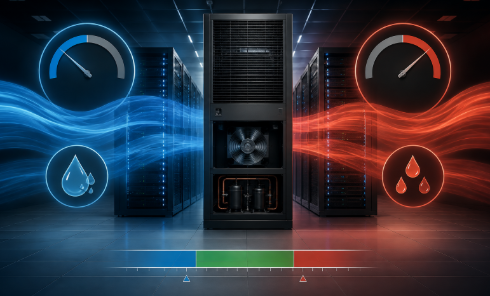
Before touching any controller, you need the thermal rules from ASHRAE Technical Committee 9.9, because they define what your precision AC for server room is allowed to deliver. The 2021 guidelines divide data processing environments into classes, and your server room will almost certainly fall into Class A1 or A2. For Class A1, the recommended dry-bulb range is 18°C to 27°C; for Class A2 it extends to 10°C to 35°C.
Recommended relative humidity is 8 to 70 percent in low-pollutant facilities, and you should keep dew point between -9°C and 15°C. Your precision AC for server room does not need to hold 18°C to be safe. Running at 24°C or 26°C at the server inlet is fully compliant, so you can raise the setpoint inside the envelope and cut compressor work without compromising reliability. In short, the ASHRAE envelope gives your precision AC for server room more room to save than most operators realize.
Supply Air vs. Return Air Sensing: Pick One
Your precision AC for server room can be controlled in two fundamentally different ways, and the choice changes how your setpoint behaves. Return air temperature control is the most widespread method: the sensor sits near the unit air inlet, and the controller keeps return air stable at your setpoint.
Precision cooling manufacturer Stulz notes return air control at a 33°C setpoint with a 15 K design difference yields about 18°C supply air at full load. But data centers rarely run at full load; your facility probably operates at 40 to 60 percent of design capacity. At constant airflow, supply air drifts up to 24°C to 27°C even though return air looks perfect.
Your controller never sees that drift, but your servers do. Supply air temperature control solves this by holding the outlet temperature constant, which keeps inlet conditions stable regardless of load swings. For modern high-density racks, you should choose supply air control, and this is where most precision AC for server room configurations quietly lose efficiency.
What Raising the Setpoint by 1°C Really Saves
You have heard that raising the setpoint saves energy, but the real numbers are dramatic. A 2022 IEEE study led by Jiaxing Cai and colleagues tested real internet data center rooms by raising air conditioning temperature and monitoring cold aisle conditions. For every 1°C increase, air conditioning energy consumption dropped 12.9 to 14.0 percent, cooling equipment alone, not the whole facility.
If you combine a 2°C to 3°C raise with cold aisle containment, the effect compounds: industry analyses report 20 to 43 percent cooling energy savings and PUE improvements of 15 to 20 percent, with payback in 12 to 24 months. Your mileage depends on climate, airflow, and load profile, but the direction is always the same. The higher you can safely set the supply air temperature, the less energy your precision AC for server room consumes per kilowatt of IT load. Multiply that across every unit in your fleet, and a single setpoint change becomes the fastest upgrade your precision AC for server room will ever receive.
Humidity and Dew Point Limits You Cannot Ignore
Temperature is only half of the equation. When you raise the supply air setpoint, you change humidity behavior, and ignoring that creates failures that look like hardware faults. ASHRAE TC 9.9 recommends a dew point range of -9°C to 15°C. Relative humidity below about 20 percent increases electrostatic discharge risk, while sustained humidity above 70 percent accelerates silver migration, electrochemical corrosion, and dust-related tracking failures.
Industry ESD standards such as ANSI/ESD S20.20 and IEC 61340-5-1 recommend that you keep relative humidity between 30 and 70 percent. You should commission your precision unit’s humidifier and dehumidifier so that raising the temperature setpoint does not push you outside these bands, and your precision AC for server room will reward you with trouble-free operation. Monitor dew point rather than relative humidity alone, because dew point stays stable when temperature swings.
Precision AC Sensor Placement Mistakes
Your precision AC for server room is only as precise as its sensor network, and most accuracy problems are placement problems. If your supply air sensor sits too close to the cooling coil or in a leaking plenum, it reads air that does not represent server inlets.
The best practice is to measure air where your servers draw it in: place sensors in the cold aisle at rack intake height across the row, not in one corner. You should also verify readings against portable thermal imaging during commissioning, because a sensor that drifts by 1°C silently invalidates every setpoint decision you make.

Containment Turns Your Setpoint into Savings
Raising the setpoint is safe only when cold air reaches server inlets instead of mixing with hot exhaust. Without containment, supply air at 24°C can arrive at the rack intake at 28°C because recirculation pulls hot air from rack rears to the front. Your choice of cold aisle or hot aisle containment separates supply and return paths physically.
With containment, rack intake temperature tracks your supply air setpoint closely, so your precision AC for server room can raise it with confidence and capture the full energy benefit. Containment also stabilizes humidity distribution, reduces airflow needed for a given heat load, and lets you run fans slower. Fan affinity laws dictate that reducing airflow by 20 percent cuts fan power by roughly 50 percent, so airflow discipline matters as much as your setpoint. Implement containment first, tune your setpoint second, and your precision AC for server room will deliver measurable results instead of guesswork.
Your Server Room Tuning Plan
You can apply all of the above in a low-risk sequence to your precision AC for server room. First, record the current setpoint, actual inlet temperatures, return temperatures, humidity, and energy consumption for one week to establish a baseline.
Then raise the supply air setpoint by 1°C and wait 24 hours, monitoring inlet temperatures at the hottest rack positions. If your hottest inlet stays below the ASHRAE upper bound of 27°C and no alarms trip, raise it another 1°C. Repeat until you reach the highest value that keeps your worst-case inlet under 26°C, leaving margin for sensor drift and hot days.
Throughout, watch dew point to stay inside the -9°C to 15°C window, and verify your battery room, which has stricter requirements, is not cooled by the same loop. Document every change with before-and-after power readings; your finance team will want proof that your precision AC for server room is earning its keep.
Precision AC for Server Room: Stop Overcooling
You now have the full picture. Your precision AC for server room is probably overcooling the space by several degrees, and that habit costs you 13 percent or more of cooling energy per unnecessary degree, based on the IEEE field study. The ASHRAE 2021 envelope allows warmer operation than most operators believe, supply air sensing gives stable inlet conditions, dew point monitoring keeps humidity in check, and containment makes every setpoint raise safe and measurable.
Start with a one-week baseline, raise the setpoint one degree at a time, and let the data decide where you stop. The savings are real, the reliability risk is manageable, and the only thing standing between you and a lower cooling bill is a single number you have been ignoring.